
LEARNING: WHAT THE DIRECTOR SEES
See which activities and tutors are working well.
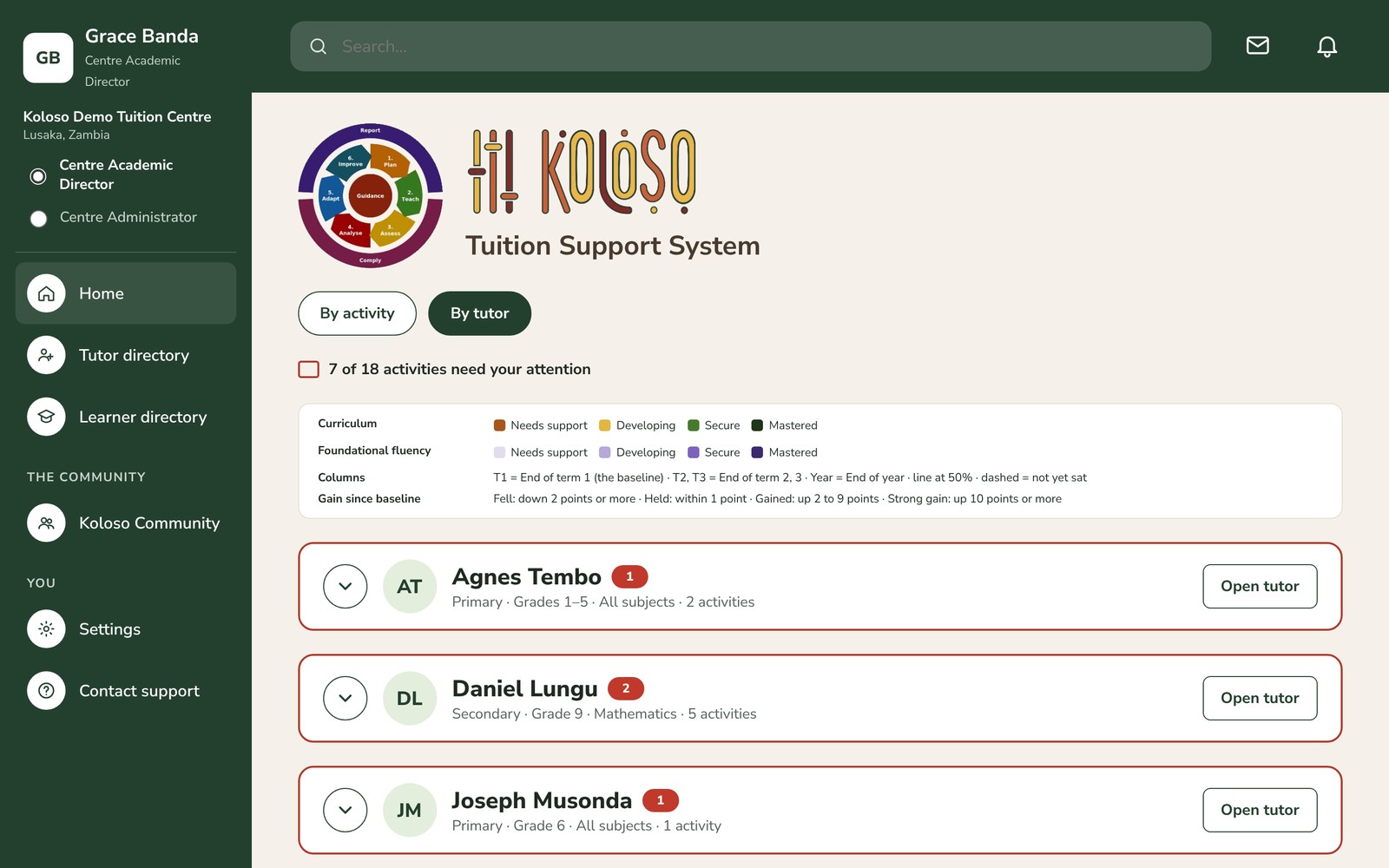
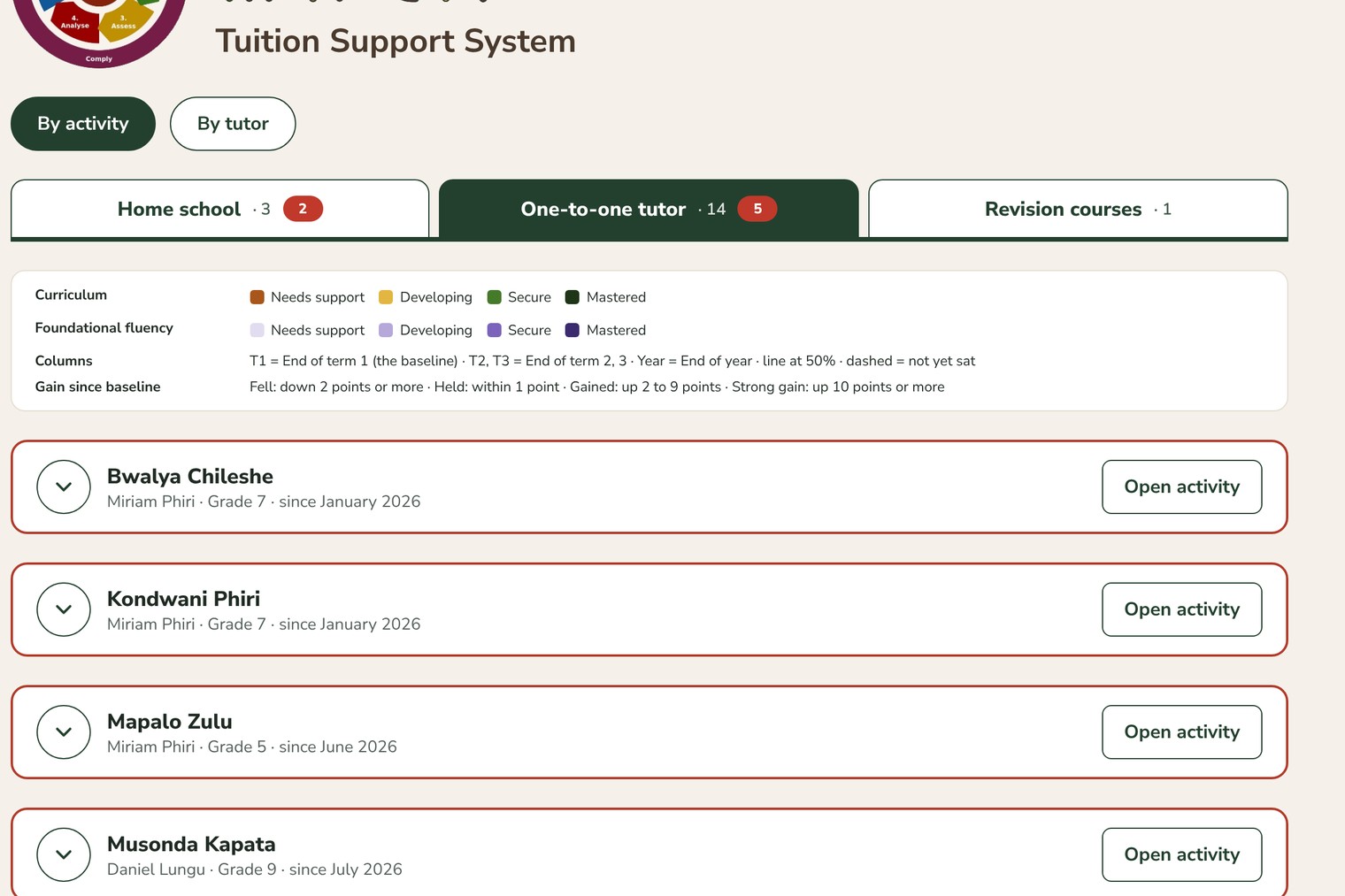
The Centre Academic Director’s Home has two views. By activity groups every activity by type: Home school, One-to-one tutor and Revision courses. By tutor shows each tutor with all their activities. Each card opens with a click, and activities that need attention come first.
An activity is flagged when more learners have fallen back than moved forward, or when participation slips. A tutor’s page brings together all their activities and what families say about them.
For every learner, Koloso shows
Progress
From a baseline, term by term (End of term 1, 2 and 3, and End of year), or from entry to completion for a revision course.
Performance
In four bands used across Koloso: Needs support, Developing, Secure and Mastered.
Foundational fluency
How secure the learner is in basic number skills, an early sign of whether they will cope with harder work.
Participation
Tests handed in on time, late or missed.
RUNNING THE CENTRE: WHAT THE ADMINISTRATOR DOES
Programmes, enrolment, the timetable and tutors’ hours.
Schedule
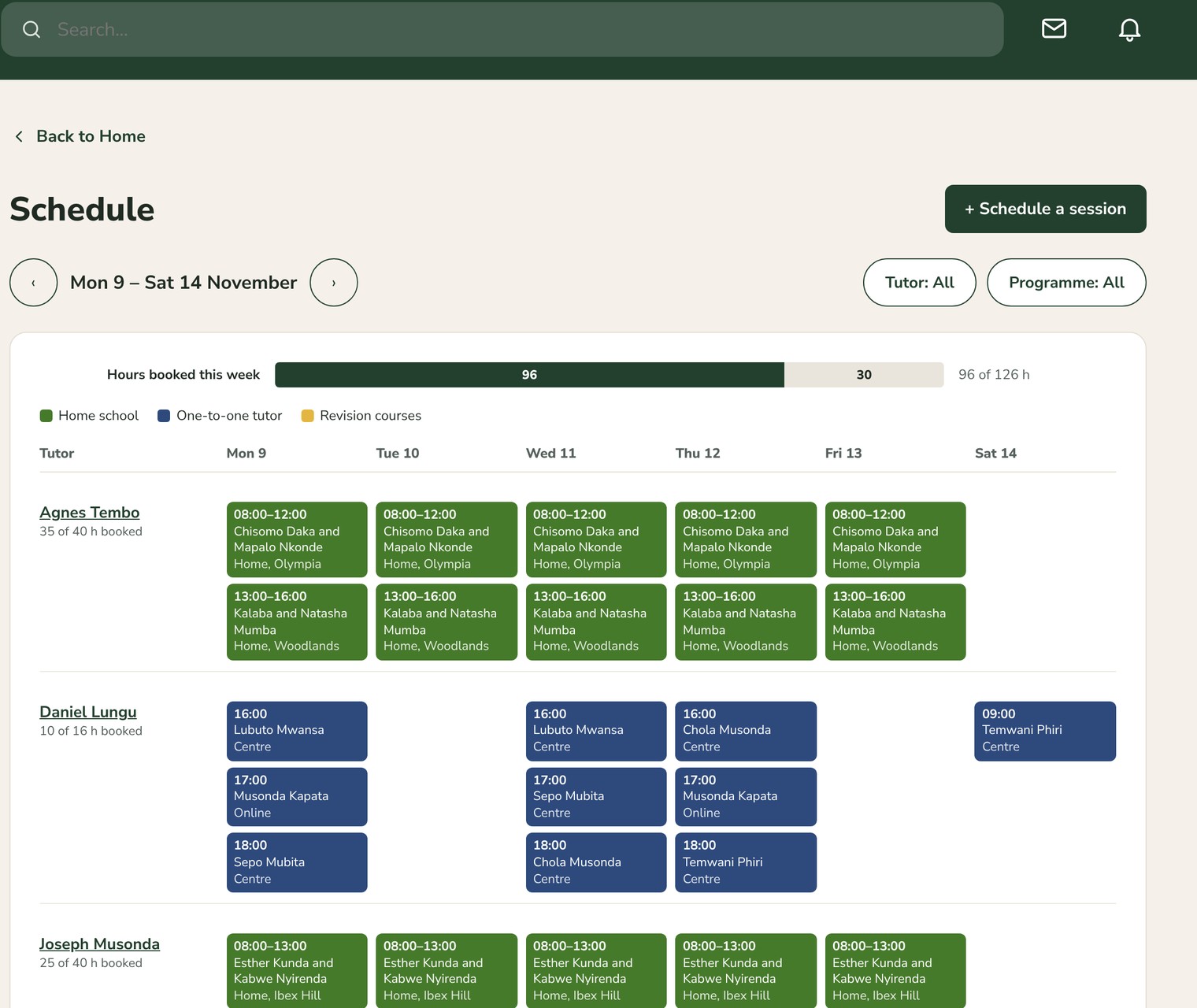
The week at a glance, one row per tutor, with every session’s learner, time and place: at the centre, at home or online.
Working pattern
Opening hours, closed days, room space, and the hours each tutor offers and has booked.
Programmes
Set up what the centre sells to families (for example One-to-one tutor · Mathematics, Home school or a Grade 7 exam revision course), with grades, where it is taught, sessions, fee and places.
Needs doing
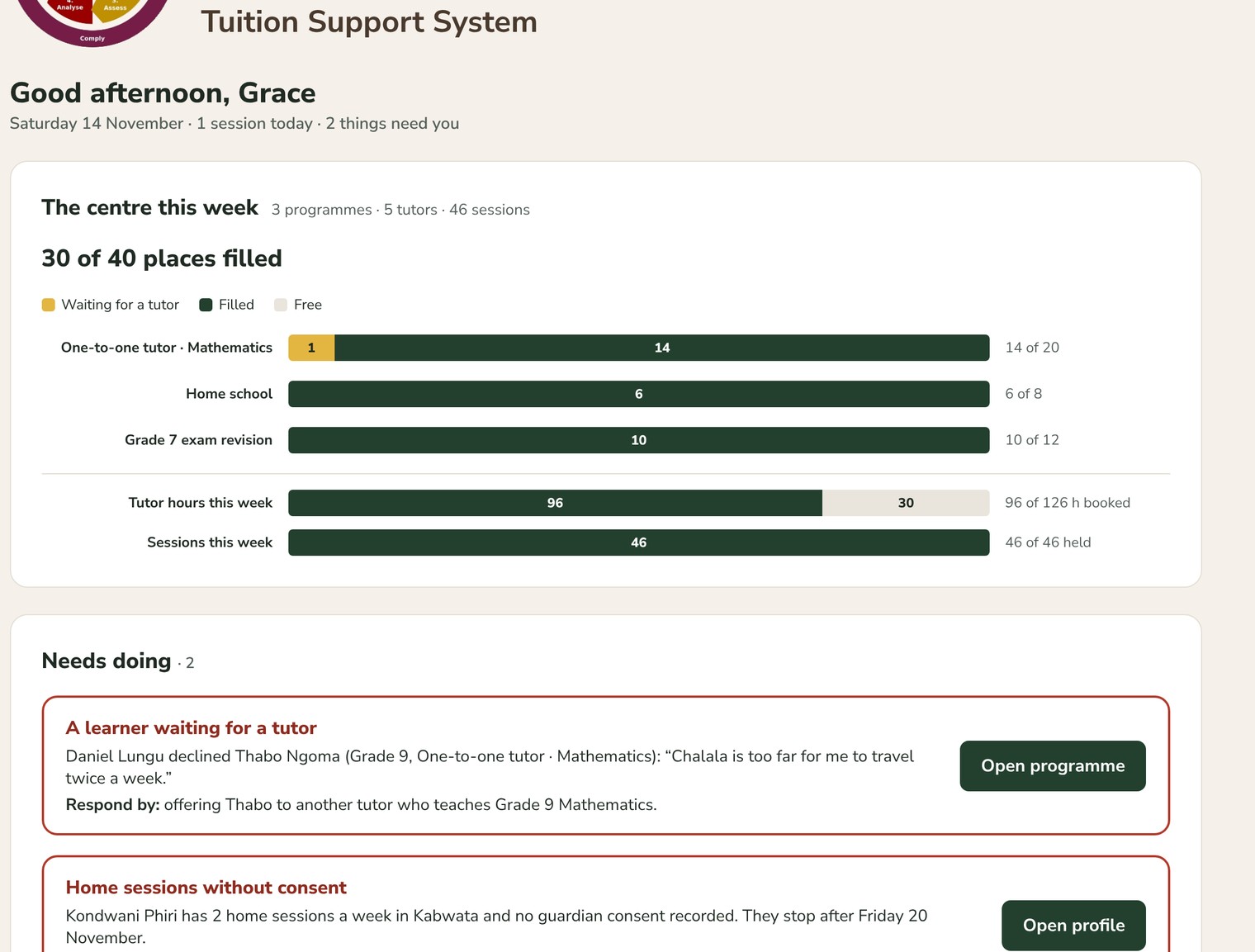
The Home screen lists what needs action, such as a learner waiting for a tutor or a home session without a guardian’s consent, and takes you straight to it.
Enrol a learner
One form for the learner, the parent or guardian, the programme and tutor, and the weekly times, chosen from the tutor’s free hours.
Directories and profiles
One Tutor directory and one Learner directory with contact details. Each person’s profile holds their account and their history with the centre.
HOW IT WORKS WITH TUTORS AND FAMILIES
No separate reporting for tutors.
Tutors use the Koloso Teacher edition. Each activity is a class, with the learners the centre assigns to it. Tutors plan, teach and set their End of term tests there, and those results feed the director’s view.
Learners
Have their own login and sit their tests in Koloso. Each End of term test has two parts: the curriculum and foundational fluency.
Families
See their child’s results, and the centre can show each family how far their child has come since joining.
One person or two
The Centre Academic Director and the Centre Administrator are separate roles; in a small centre one person can hold both.
LEARNING: WHAT THE DIRECTOR SEES
See which activities and tutors are working well.
The Centre Academic Director’s Home has two views. By activity groups every activity by type: Home school, One-to-one tutor and Revision courses. By tutor shows each tutor with all their activities. Each card opens with a click, and activities that need attention come first.
An activity is flagged when more learners have fallen back than moved forward, or when participation slips. A tutor’s page brings together all their activities and what families say about them.
For every learner, Koloso shows
Progress
From a baseline, term by term (End of term 1, 2 and 3, and End of year), or from entry to completion for a revision course.
Performance
In four bands used across Koloso: Needs support, Developing, Secure and Mastered.
Foundational fluency
How secure the learner is in basic number skills, an early sign of whether they will cope with harder work.
Participation
Tests handed in on time, late or missed.
RUNNING THE CENTRE: WHAT THE ADMINISTRATOR DOES
Programmes, enrolment, the timetable and tutors’ hours.
Schedule
The week at a glance, one row per tutor, with every session’s learner, time and place: at the centre, at home or online.
Working pattern
Opening hours, closed days, room space, and the hours each tutor offers and has booked.
Programmes
Set up what the centre sells to families (for example One-to-one tutor · Mathematics, Home school or a Grade 7 exam revision course), with grades, where it is taught, sessions, fee and places.
Needs doing
The Home screen lists what needs action, such as a learner waiting for a tutor or a home session without a guardian’s consent, and takes you straight to it.
Enrol a learner
One form for the learner, the parent or guardian, the programme and tutor, and the weekly times, chosen from the tutor’s free hours.
Directories and profiles
One Tutor directory and one Learner directory with contact details. Each person’s profile holds their account and their history with the centre.
HOW IT WORKS WITH TUTORS AND FAMILIES
No separate reporting for tutors.
Tutors use the Koloso Teacher edition. Each activity is a class, with the learners the centre assigns to it. Tutors plan, teach and set their End of term tests there, and those results feed the director’s view.
Learners
Have their own login and sit their tests in Koloso. Each End of term test has two parts: the curriculum and foundational fluency.
Families
See their child’s results, and the centre can show each family how far their child has come since joining.
One person or two
The Centre Academic Director and the Centre Administrator are separate roles; in a small centre one person can hold both.